Guides · Guides
Coding toys: which ones teach anything
The coding aisle is the least honest corner of the toy shop. A lot of what is sold there is an app with a plastic accessory, and a lot of the rest is a logic puzzle with the word coding printed on the box. Both can be good toys. Only one of them is what you were promised.
We earn a commission if you buy through our links. It does not change the price you pay and it does not decide our picks — our method is published in full, including the part where we say we have not played with these toys. How this works.
The short answer
A coding toy earns the name if the child builds a sequence of instructions, runs it, and sees it either work or fail — with the sequence stored somewhere the child can inspect and change. That is it. That definition includes a $40 robot mouse with buttons on its back and excludes several far more expensive products, and it is checkable from a listing before you spend anything.
By age, in one line each. At four to six, buy a button-sequence floor robot. At six to eight, honestly, buy a logic puzzle and call it what it is. At eight and up, an electronics kit with a real manual does more for computational thinking than most coding toys at the same price. And at eleven or twelve, the toy aisle has run out of useful answers and a free programming environment on a computer the household already owns is the better path — which is an odd thing for a site with affiliate links to say, so we will say it clearly rather than sell you something instead.
The three things sold as coding toys
- On-device sequencing. The instructions are entered on the toy — buttons, cards, tiles, dials — and the toy executes them. There is no second device in the room. This is the only group that matches the definition above, and it is the smallest group in the shop.
- App-driven robots. The toy is a chassis; the programming happens in an app on a tablet or phone. These teach real block-coding concepts, and some are excellent. They are also the group most often bought by an adult who wanted to get a child AWAY from a screen, and that adult is going to be unhappy. The display did not disappear — it moved into their hand.
- Logic puzzles with coding on the box. Sequential-reasoning games, marble logic, traffic-jam sliders. No code is involved at any point. They are frequently the best toy of the three, and the marketing is still misleading.
None of this makes groups two and three bad buys. It makes them different buys. The test question before you pay: can the child use this, start to finish, alone in a room with no other device present? If the answer requires an app, it is group two, and you should decide that on purpose.
What to look for, in the order that matters
1. Where the program is stored
On the toy, or on something else? This single fact determines whether the child is coding or operating. A floor robot that remembers thirty button presses is holding a program; a toy that drives while a finger is on a joystick is a remote-control car.
2. Whether failure is visible
The entire educational value is in the wrong answer. A good coding toy fails in a way the child can see and trace back to the instruction that caused it — the robot turns left at the third step and hits a chair. A toy that just does not respond teaches nothing, because there is nothing to debug.
3. Whether it needs an account
Not to set up — to work. A toy that is inert without a login is a service with a toy attached, and it can be discontinued. This is a specific, checkable thing on a listing and it is the biggest long-term risk in the category.
4. The age grade, which here is a difficulty line
Nothing about a coding toy is unsafe at six. It is simply unusable, because reading a sequence and holding a plan in mind are the skills the grade encodes. Age grades explained covers the difference between a grade that is a safety line and a grade that is a difficulty line — this category is firmly the second kind, and that is exactly why people override it and regret it.
What our registry does not contain, and why we are telling you
We carry one dedicated coding toy: a rechargeable floor robot graded 4+ whose manufacturer prints “no screens required” on its own listing. We do not carry app-driven coding robots. That is a deliberate position rather than an oversight — this site’s whole premise is printing what the manufacturer publishes, and in that sub-category the things a buyer most needs to know (whether the app survives, what account it needs, what happens when support ends) are precisely the things no listing publishes.
So this page is shorter on products than a page about magnetic tiles would be, and the alternatives below are honest adjacencies rather than a pretend top ten. We would rather publish four things we can stand behind than pad to ten.
At eleven or twelve, buy a book or nothing
By the end of primary school the toy version of this has been outgrown. A child who actually wants to program needs a text editor and a free language, both of which exist on any household computer at no cost, plus patience from an adult. Spending $150 on a toy robot at twelve mostly buys a shelf ornament. If a physical gift is the requirement, an electronics kit with a 300-project manual, a mechanical building set with real gearing, or a chemistry set with a published experiment list all deliver more for the money — see educational toys for teens, which ranks on that one criterion.
The four, side by side
| Product | Maker’s age grade | Power | Is it coding? |
|---|---|---|---|
| Code & Go Robot Mouse | 4+ | Rechargeable over USB | Yes — the sequence is entered and stored on the toy |
| ThinkFun Rush Hour | 8+ | None | No — sequential logic, no code anywhere |
| Snap Circuits Jr. SC-100 | 8+ | Batteries, not in the box | No — electronics, the layer below code |
| Klutz LEGO Gear Bots | 8–12 | None | No — mechanical design, built and debugged by hand |
Age grades are each manufacturer’s own published figure, quoted as printed. The power column is from the maker’s listing. The last column is our reading against the definition at the top of this page, not a claim by any manufacturer. Live prices for all four are below, with the date they were read.
The four we would actually buy
Given the tests above, these are the four things in our registry that earn a place in a conversation about coding. One of them is a genuine coding toy. The other three are the honest adjacencies — and we have labelled which is which rather than letting the category name do the work.
The toys
The toys this guide is about
Every one of these carries its manufacturer’s published age grade and a live Amazon price, read October 11, 2026. Full rankings live in the roundups linked above.
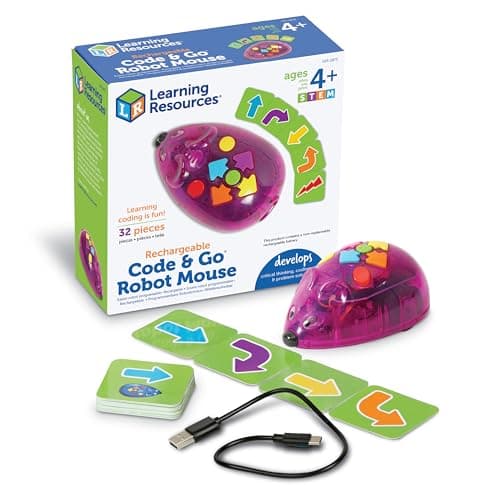
The only genuine coding toy here — ages 4 to 7
Code & Go Robot Mouse, Rechargeable
Age grade 4+
Graded 4+, rechargeable over USB, and Learning Resources prints “no screens required” on the listing itself rather than leaving it to be inferred. The child presses direction buttons to build a sequence, lays out a route with the thirty coding cards, and the mouse runs it. The program lives on the toy, failure is visible, there is no app and no account. This is what the category is supposed to be. Its honest limit is scope: this version is the mouse and the cards, which the maker sells as an add-on to its activity sets, so there are no maze walls in the box.
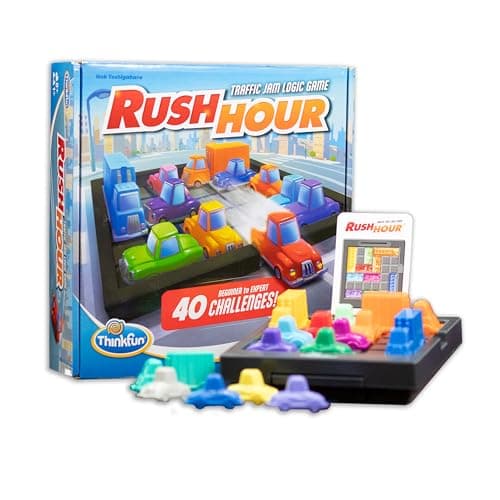
Logic, not code — and often the better toy, ages 8+
ThinkFun Rush Hour Traffic Jam Logic Game
Age grade 8+
Graded 8+, forty graded challenges, one solution each, no batteries and no screen. There is no code in this box and we are not going to pretend otherwise. What it does train is the thing underneath coding: holding a multi-step plan in your head, running it, and working out which step was wrong. It also marks its own work, so a child progresses without an adult. If the real goal is problem-solving rather than syntax, this is the better purchase at eight — and it is a fraction of the price of a robot.
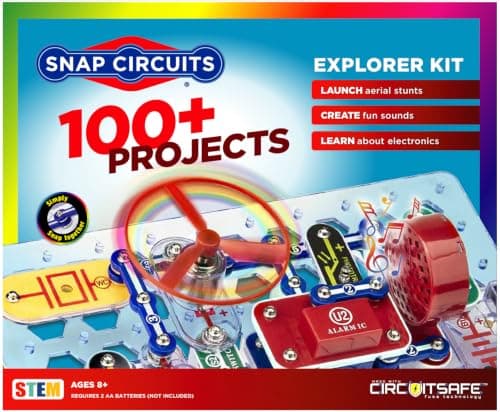
For a child who wants to know why it works — ages 8+
Snap Circuits Jr. SC-100 Electronics Kit
Age grade 8+
Graded 8+ with over a hundred projects and a manual that explains rather than just instructing. Circuits are the layer below code, and for a child whose interest in computers is really an interest in how they work, this answers the question the robot does not. Batteries are required and not included, and the manual is essential — lose it and a hundred projects become a tray of parts. Not a coding toy by any definition; the best thing on this page for the child who asks a second question.
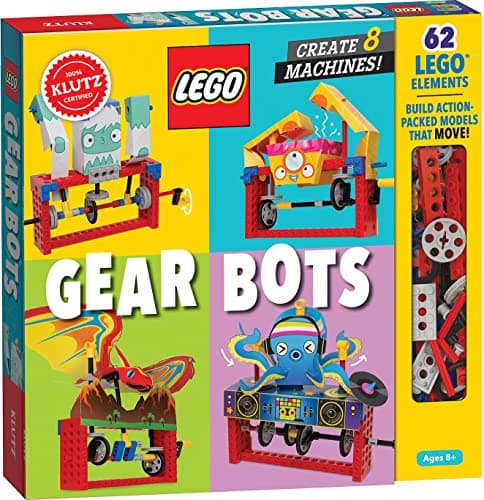
Mechanical sequence with no electronics at all — ages 8 to 12
Klutz LEGO Gear Bots Activity Kit
Age grade 8–12
Graded 8 to 12. LEGO-compatible parts build gear-driven machines, and the book explains what the gears are doing, which is rarer than a kit that merely supplies steps. It belongs here as the furthest honest edge of the category: it is a machine the child designs and debugs, with nothing electronic in it. Do not buy it for a child who will not read the book — half the value is on the page, and skipped, it is an expensive bag of bricks.
#ad · As an Amazon Associate we earn from qualifying purchases. How this works.
Questions
Questions people actually ask
What is the best coding toy for a 9-year-old?
Do coding toys actually teach coding?
Are screen-free coding toys any good?
What should I buy a 12-year-old who wants to code?
Keep reading
Related
- Tech toys with no screenThe wider question: what is genuinely electronic and has no display anywhere.
- STEM toys by ageWhere a coding toy sits in the age ladder next to circuits, optics and chemistry.
- Snap Circuits Jr. against ClassicWhich electronics kit, with the published project counts side by side.
- Educational toys for teensFor eleven and up, where the toy version of this has been outgrown.
Receipts
Sources
- American Academy of Pediatrics — “Selecting Appropriate Toys for Young Children in the Digital Era” (clinical report)
- US Consumer Product Safety Commission — Toy Safety business guidance
- ASTM F963 — Standard Consumer Safety Specification for Toy Safety
We do not run a playroom test lab and we do not pretend to. Age grades, battery requirements and assembly notes are quoted from each manufacturer’s own product listing, read on September 7, 2026; prices come live from Amazon’s API and are stamped with the date they were checked. Where a maker publishes nothing, the page says “manufacturer does not publish this” rather than guessing. Read the full method.